
Supply

Supplying assets into PermaPod earns you interest and increases your borrowing power. The more you supply, the more you can borrow.
Step 1 — Select an Asset
From the Dashboard, find the asset you want to supply in either:
- Your supplies → click Supply to add more of an asset you already have.
- Assets to supply → click Supply next to any asset in your wallet.
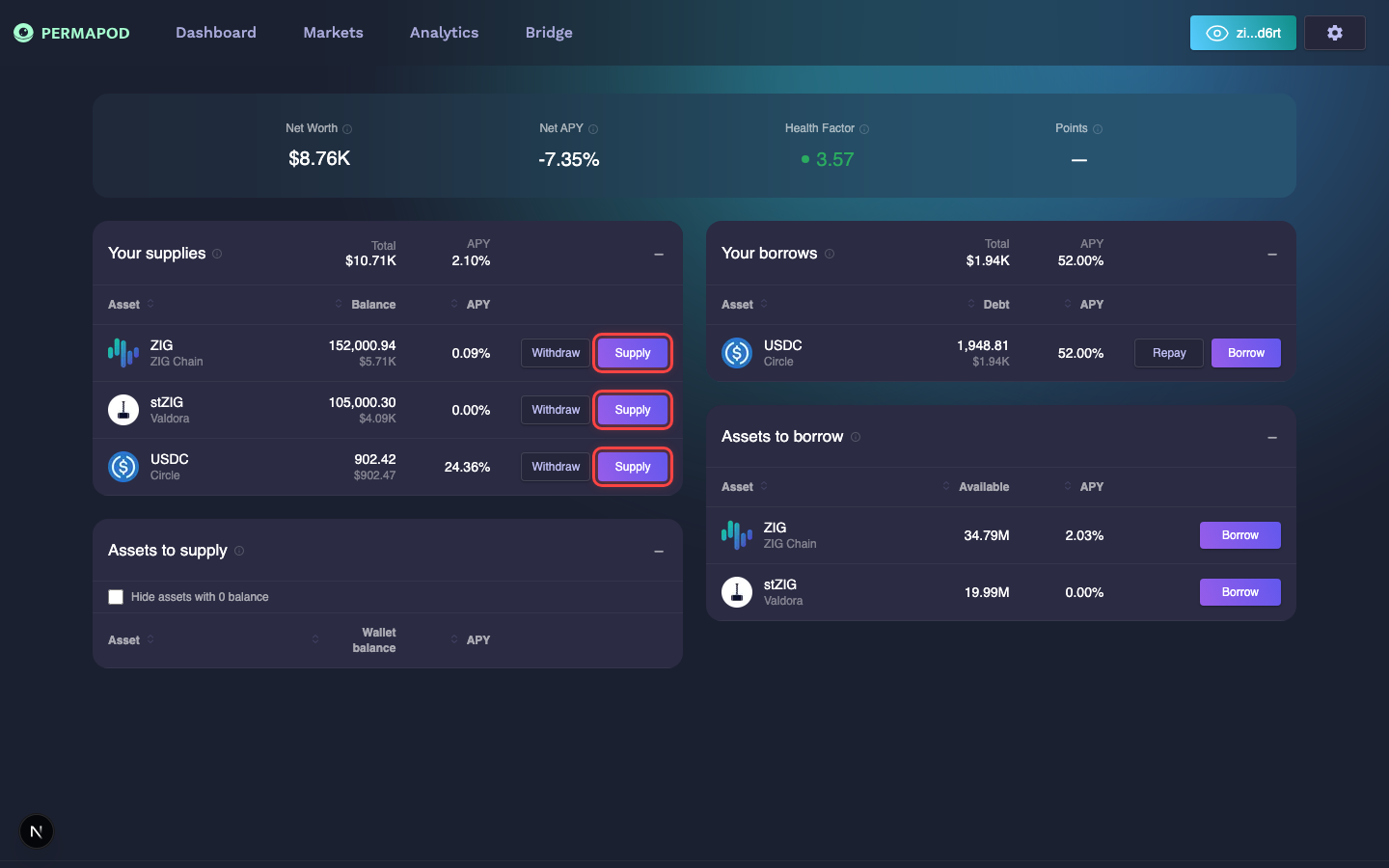
Click the Supply button next to any asset in "Your supplies" or "Assets to supply"
Step 2 — Enter the Amount
In the Supply window:
- Enter the amount you want to deposit, or click Max to supply your full wallet balance.
- Use the slider to adjust the amount visually.
- Review the key info displayed below the slider:
- Supply APY — the interest rate you'll earn.
- Health Factor — your current safety level (green = safe).
- Wallet Balance — how much of this token you have available.
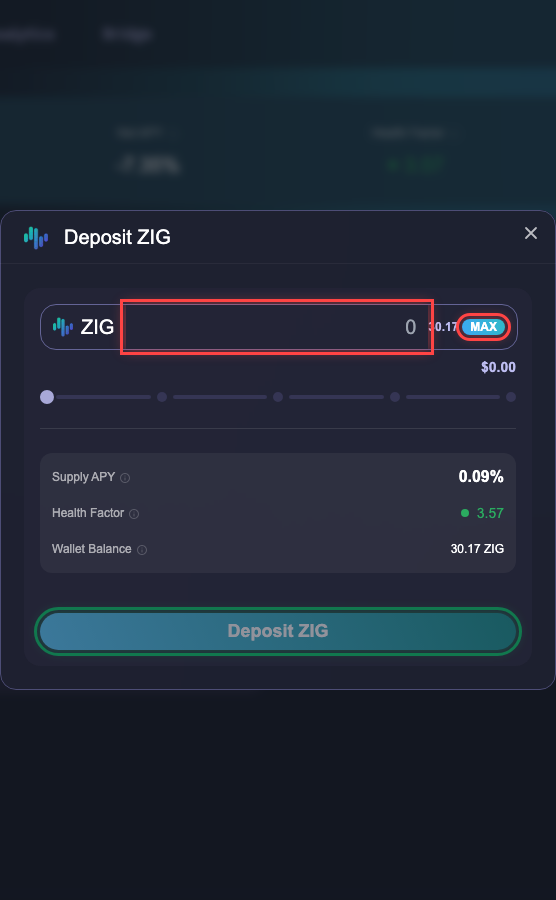
Supply window for ZIG — enter amount, review APY and Health Factor, then confirm
Step 3 — Review and Confirm
When ready, click the Deposit button at the bottom of the window.
Step 4 — Approve in Your Wallet
Your wallet (Keplr or MetaMask) will pop up asking you to approve the transaction. Confirm it.
Once the transaction is confirmed on-chain, your supplied asset will appear under Your supplies on the Dashboard.
- You immediately start earning interest from borrowers in the lending pool.
- Your deposit increases your borrowing capacity based on the asset's Loan-to-Value (LTV) ratio.
- Interest rates are variable — they fluctuate based on market demand.
You can check each asset's current Supply APY on the Markets page.
Next step: Borrow to take a loan against your collateral.