
Borrow

Once you've supplied collateral, you can borrow assets against it. Your borrowing power depends on how much you've supplied and each asset's LTV ratio.
Step 1 — Select an Asset
From the Dashboard, find the asset you want to borrow in Assets to borrow and click Borrow.
You can also click Borrow next to an existing position in Your borrows to borrow more of the same asset.
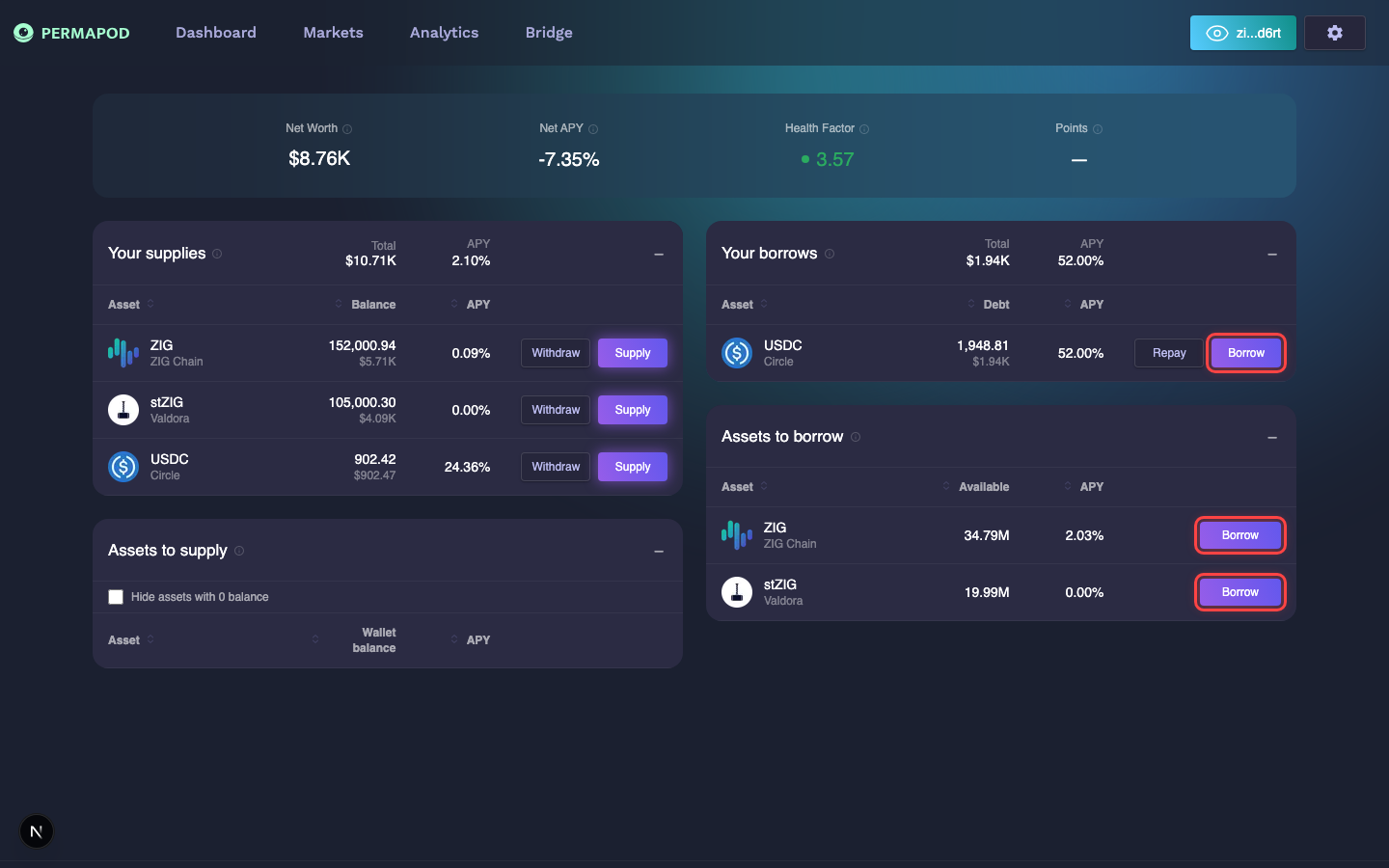
Click the Borrow button next to any asset in "Your borrows" or "Assets to borrow"
Step 2 — Enter the Borrow Amount
In the Borrow window:
- Enter the amount you want to borrow, or use the slider.
- Review the key info displayed below the slider:
- Borrow APY — the annual interest you'll pay.
- Health Factor — how this borrow affects your safety level.
- Wallet Balance — your current balance for this asset.
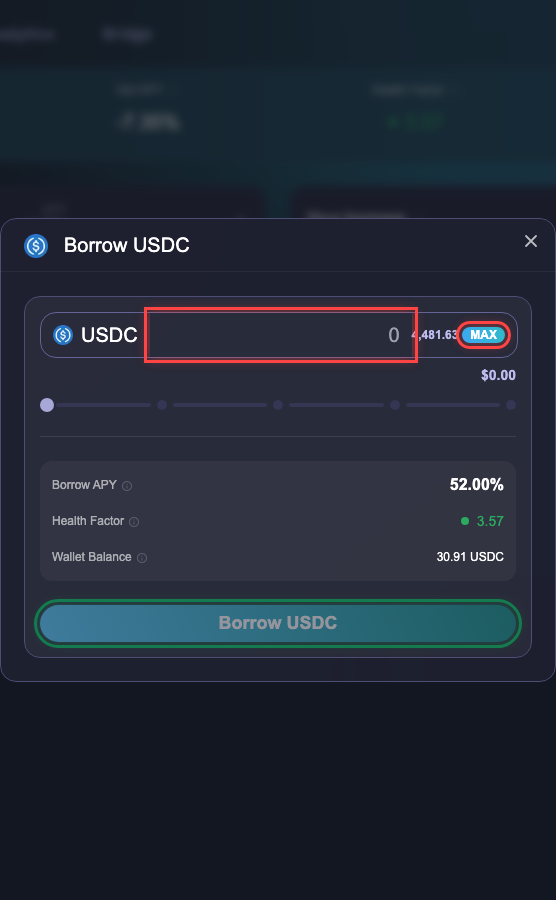
Borrow window for USDC — enter amount, review APY and Health Factor
Step 3 — Check Your Health Factor
The Account Summary on the right shows how this borrow will affect your Health Factor.
- Green = Safe position
- Yellow = Moderate risk
- Red = Danger — close to liquidation
If the borrow would push your Health Factor too low, you'll see a warning: "Borrowing this amount will result in a low health factor. You risk liquidation."
Step 4 — Confirm and Approve
Click Borrow to submit the transaction, then approve it in your wallet.
Once confirmed, the borrowed asset appears under Your borrows on the Dashboard.
- Borrowed amounts accrue interest over time. Check your Borrow APY regularly.
- Your Health Factor must stay above 1.0 to avoid liquidation. See Health Factor & Liquidation.
- To pay back your loan, see Withdraw & Repay.
Next step: Withdraw & Repay to learn how to retrieve assets and pay off debt.