
Health Factor & Liquidation
Your Health Factor is the most important indicator in Permapod. It tells you how safe your position is. Understanding it is essential to avoid losing funds.
What Is Health Factor?
The Health Factor is a single number that represents the safety of your combined position (all supplies and borrows).
| Health Factor | Status | Meaning |
|---|---|---|
| > 3.0 | Safe (green) | Comfortable margin — low liquidation risk |
| 1.5 – 3.0 | Moderate (yellow) | Getting closer — monitor your position |
| 1.0 – 1.5 | Danger (red) | High risk — take action to improve |
| < 1.0 | Liquidation | Your collateral can be seized to repay debt |
Where to Find It
Your Health Factor is displayed in two places:
- Dashboard top panel — Always visible when you have active positions.
- Transaction — Shown when you supply, borrow, withdraw, or repay. It updates in real time as you enter amounts.
In the Dashboard below, the Health Factor shows 3.58 in green — a comfortable safety margin.
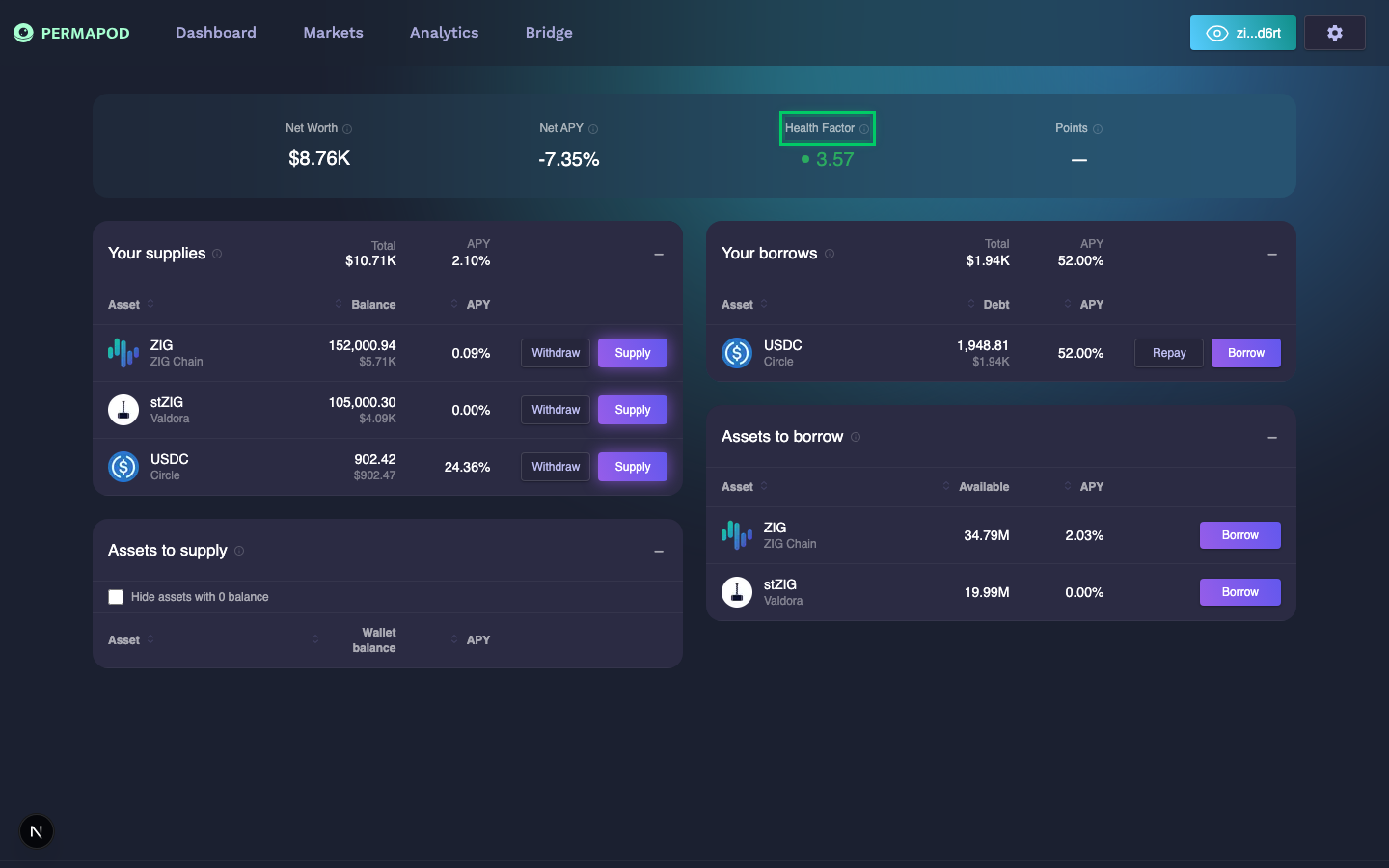
Health Factor of 3.57 (green) highlighted in the top panel
What Causes It to Change?
| Action | Effect on Health Factor |
|---|---|
| Supply more collateral | Increases (safer) |
| Repay debt | Increases (safer) |
| Borrow more | Decreases (riskier) |
| Withdraw collateral | Decreases (riskier) |
| Collateral price drops | Decreases (riskier) |
| Collateral price rises | Increases (safer) |
| Borrowed assets price drops | Increases (safer) |
| Borrowed assets price rises | Decreases (riskier) |
What Is Liquidation?
When your Health Factor drops below 1.0, your position becomes eligible for liquidation. This means:
- A third-party liquidator can repay part of your debt.
- In exchange, they receive a portion of your collateral plus a bonus (the Liquidation Bonus).
- You lose collateral, but your debt is reduced.
Liquidation is automatic and irreversible. You cannot cancel it once triggered.
How to Avoid Liquidation
- Keep your Health Factor above 2.0 as a safety margin.
- Monitor regularly — prices move, and so does your Health Factor.
- Repay debt if your Health Factor is declining.
- Supply more collateral to increase your buffer.
- Don't borrow the maximum — leave room for price volatility.
Risk Simulation
Permapod includes an interactive Risk Simulation as part of the onboarding tour. It lets you experiment with:
- Collateral Value slider — simulate your deposit amount.
- Borrow Amount slider — simulate how much you borrow.
- Real-time LTV, Health Factor, and Risk Level calculations.
This helps you understand the relationship between collateral, debt, and risk before committing real funds.
If you skipped the onboarding tour, you can restart it — see Settings for instructions.
Key Terms
| Term | Definition |
|---|---|
| LTV (Loan-to-Value) | Your debt value divided by your collateral value. Higher = riskier. |
| LLTV (Liquidation LTV) | The LTV threshold that triggers liquidation. |
You can find each asset's LTV parameters on its Reserve Overview page.
Next step: Settings to customize your experience.