
Dashboard
The Dashboard is the main page of Permapod. It gives you a real-time view of your portfolio and quick access to all core actions.
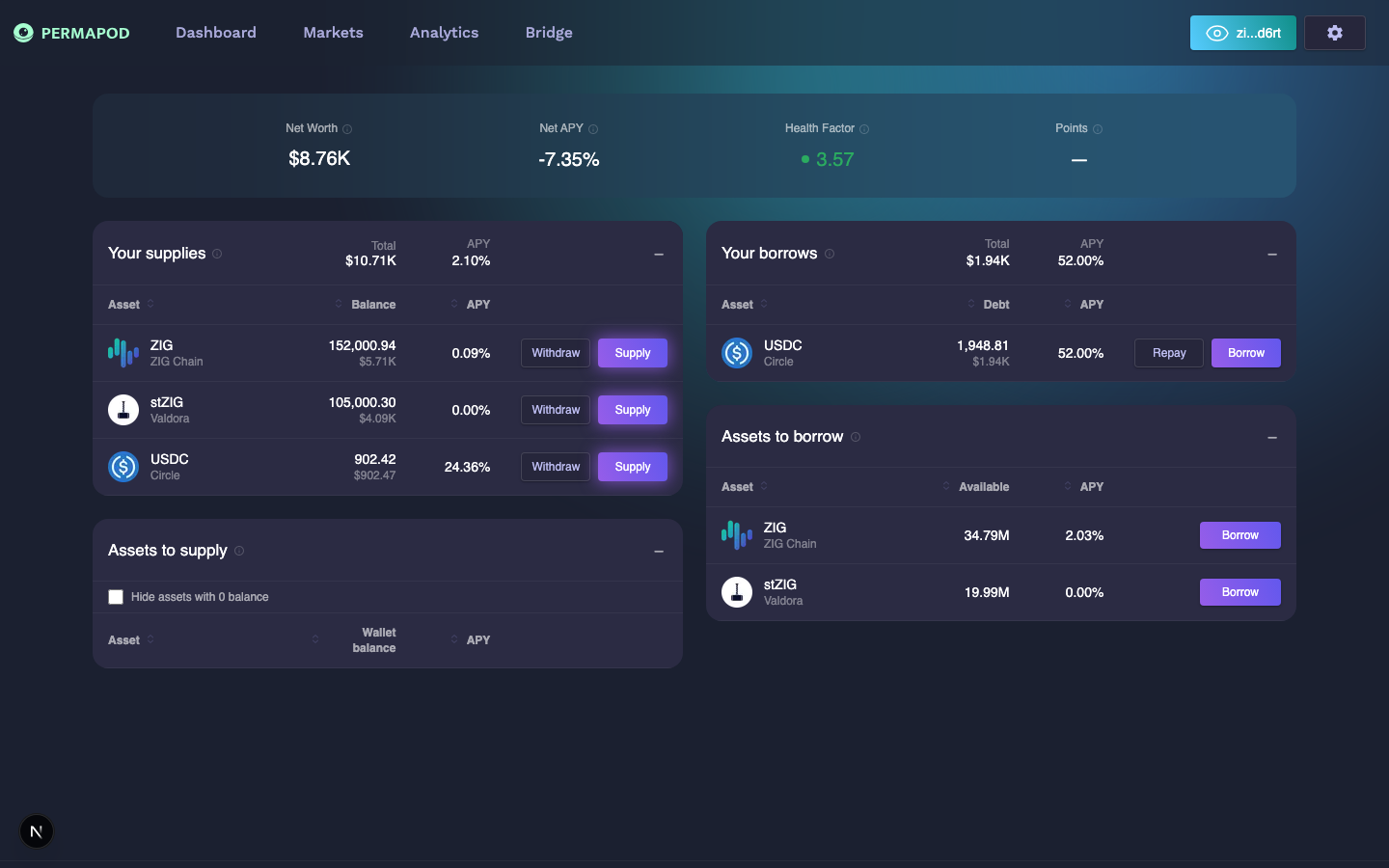
The wallet has a Net Worth of $8.79K, a Net APY of -7.33% (borrow costs exceed supply earnings), and a Health Factor of 3.58 (green / safe).
Key Metrics
At the top of the Dashboard, four metrics summarize your position:
| Metric | What it means |
|---|---|
| Net Worth | Total value of your supplied assets minus your outstanding debt |
| Net APY | Blended annual return — supply earnings minus borrow interests |
| Health Factor | Safety indicator of your position (see Health Factor) |
| Points | Loyalty points earned by interacting with the protocol |
Your Supplies
The left column (or first tab on mobile) shows assets you have deposited into the protocol.
- Balance — Current value of your deposited position for each asset.
- APY — Annual interest you're earning on that asset.
- Actions — Supply more or Withdraw from your position.
When you have no active positions, this section displays "Nothing supplied yet".
Assets to Supply
Below your supplies, you'll see all assets available in the protocol along with your wallet balance for each. Click Supply to deposit any asset.
- Use the "Hide assets with 0 balance" checkbox to filter out assets you don't hold.
- A glowing Supply button indicates you have a balance available to deposit.
Your Borrows
The right column (or second tab on mobile) shows your active loans.
- Debt — Outstanding borrowed amount including accrued interest.
- APY — Annual interest rate you're paying on the borrow.
- Actions — Repay your debt or Borrow more.
Assets to Borrow
Below your borrows, you'll see all assets available for borrowing along with the available liquidity.
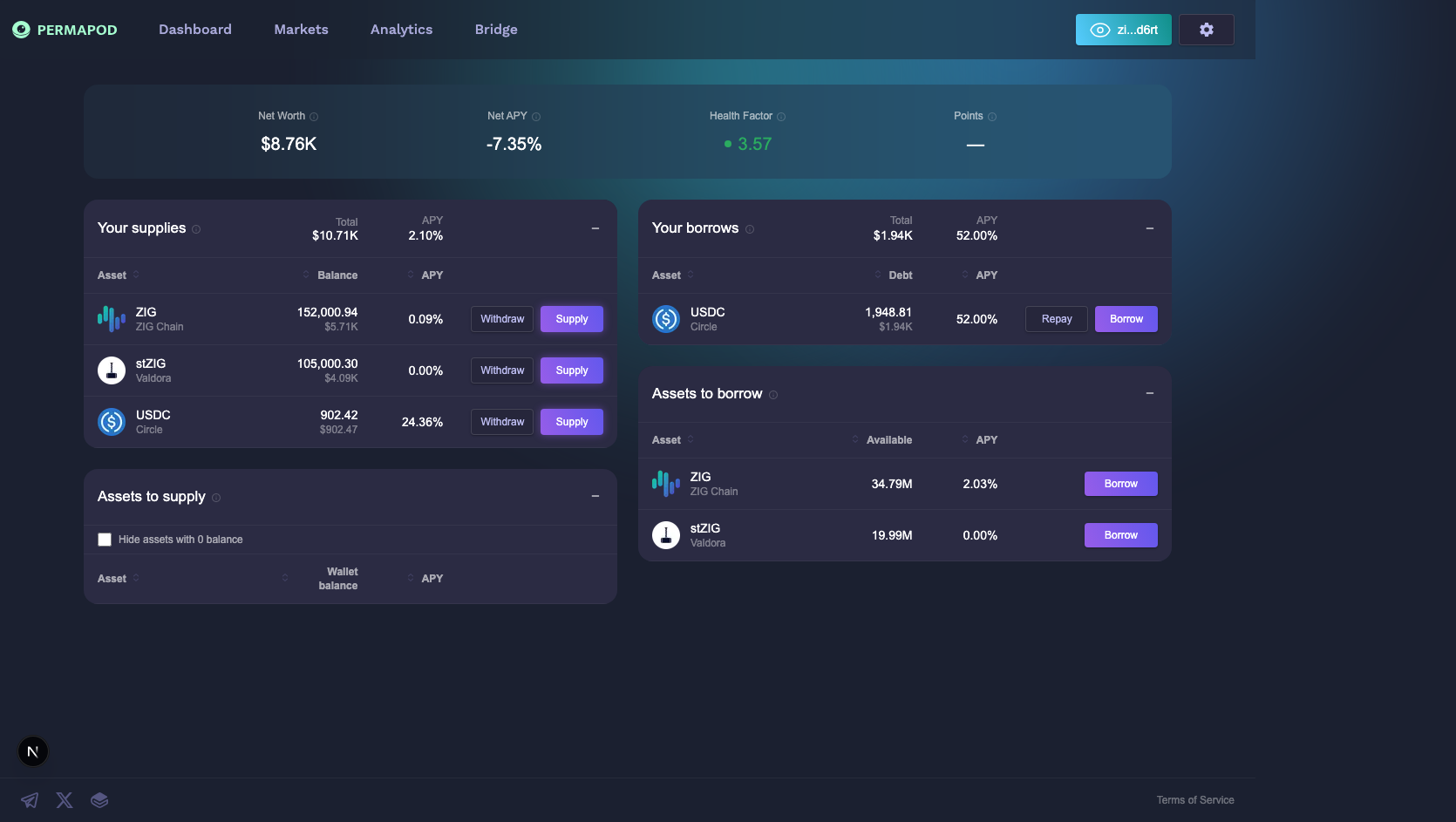
Full Dashboard page with all sections visible
Next step: Supply to start earning interest.